Kling AI Introduces Video 2.6 with Integrated Audio-Visual Generation

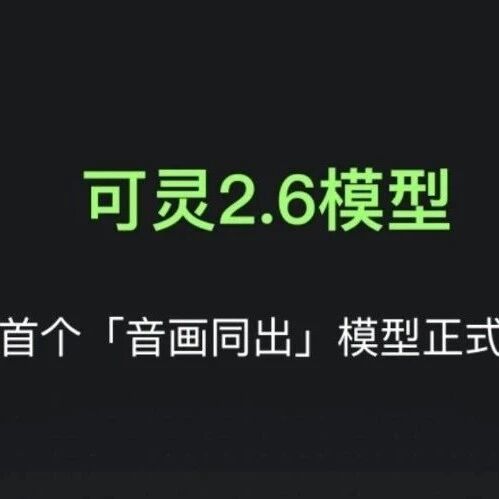
Kling AI has introduced Kling Video 2.6, featuring an "Audio-Visual Co-generation" model. This development allows the model to directly generate synchronized sound alongside visuals, eliminating the need for external voiceovers or post-production audio integration.
Key Points
The new model is designed to produce a comprehensive audio-visual experience from a single input. This includes:
Multi-character dialogue: Supports both Chinese and English.
Environmental sound effects: Such as wind, footsteps, and collision sounds.
Emotional soundscapes: Capable of generating tense, relaxed, or mysterious atmospheres.
This integration means that a single text prompt can generate not only the visual content but also automatically synchronize dialogue, action sound effects, and environmental audio. This aims to transition AI-generated videos from "silent visuals" to a "complete audio-visual experience," with natural synchronization in lip-sync, rhythm, and atmosphere. The entire process, encompassing both visuals and audio, is completed within a single inference by the same model, bypassing separate modules that could lead to synchronization errors.
The platform supports 5-second and 10-second video generation at 1080P resolution. Characters within these videos are intended to exhibit more natural speech, emotions consistent with the audio, and expressions that align with dialogue content. Scene ambient sounds are automatically matched to visuals, including elements like rain, ocean waves, footsteps, and mechanical sounds.
Kling Video 2.6 also demonstrates enhanced stability in action sequences, shot transitions, and narrative rhythm compared to its predecessor. This includes more natural scene transitions, improved character consistency across different shots, and reduced instances of sudden frame jumps in actions.
Architecture
From a structural standpoint, the core innovation lies in the Audio-Visual Collaboration, ensuring perfect synchronization between sound and visuals. Traditional AI videos often face challenges with lip-sync issues and sound detachment. The new version utilizes deep semantic alignment to ensure that actions, tone, rhythm, and background sounds correspond naturally. For example, mouth movements during speech are precisely matched to the voice, action sound effects occur simultaneously with the action (e.g., footsteps with walking), and environmental sounds adjust dynamically to scene changes.
The model generates three types of sounds:
Human voice: Dialogue, narration, singing, and rapping.
Action sound effects: Knocking, door opening, footsteps, and object movement.
Environmental sounds: Wind, street sounds, indoor reverberation, and natural soundscapes.
These audio outputs are characterized by clear sound quality, rich sound layers with a sense of space, and natural mixing that reduces the need for post-production adjustments.
The model also features Stronger Semantic Understanding, enabling it to interpret content more effectively. It can identify plot elements, character tones, and scene atmospheres, leading to more semantically aligned generated sound and visuals. The AI is designed to understand complex text and situations, such as distinguishing speakers and their tones, generating appropriate voice intonation based on plot content, and automatically matching background sounds to the environment. For instance, a prompt like "She smiled softly and said: We meet again" would automatically generate a gentle tone, facial movements matching the smile, and quiet background environmental sounds.
Creative Workflow
The updated workflow supports two primary generation methods:
Text-to-Audio-Visual: Users input a text description, and the AI directly outputs a complete video with synchronized sound. An example provided describes a young woman in a living room saying, "I have a secret, Kling 2.6 is coming," which would generate the character, scene, natural speech, and matching environmental sounds.
Image-to-Audio-Visual: This allows users to upload an image of a person or scene, which the AI then animates and imbues with sound. This is suitable for making static characters speak, creating product explanation videos, or generating interview-style content. The process is summarized as "One image + one piece of text = one video with sound."
Prompt Guide
For optimal results with the "Video 2.6 Model," users are advised to structure prompts by combining visual descriptions, actions, and desired sound elements.
Multi-character Dialogue Prompt Examples:
Structured Naming: Character labels should be unique and consistent (e.g.,
[Character A: Agent in Black]).Visual Anchoring: Bind each character's dialogue to their actions (e.g.,
The agent in black slammed his hand on the table. [Agent in Black, shouting angrily]: "Where's the truth?").Audio Details: Add unique timbre and emotional tags for each character (e.g.,
[Agent in Black, hoarse, deep voice]: "Don't move.").Temporal Control: Use conjunctions to manage dialogue order and rhythm (e.g.,
[Agent in Black]: "Why?" Immediately after, [Female Assistant]: "Because it's time.").
Common Audio Description Keywords:
Keywords are categorized for narrative, emotional expression, speech rate, environmental sounds, timbre characteristics, and music style to guide the AI in generating specific audio elements.
Pricing
The "Video 2.6 Model" offers two modes: "Audio-Visual Co-generation" and "Pure Video Generation." Pricing varies based on video duration and selected functional modules. For members, a 5-second clip costs 15 energy points, and a 10-second clip costs 30 energy points. Non-member prices are 20 energy points for 5 seconds and 40 energy points for 10 seconds.
Frequently Asked Questions
The model currently supports Chinese and English for voice output. If other languages are input, the system automatically translates them to English before generating speech. Support for additional languages, including Japanese, Korean, and Spanish, is reportedly in development.
Users can also generate audio independently without video through the platform's "Sound Effect Generation" module, which offers text-to-sound effect and video-to-sound effect options.
To enhance generation quality, users are advised to optimize prompts by being clear and concise, ensuring text and image references match, adjusting parameters like video length and aspect ratio appropriately, and simplifying creative scenes by focusing on one theme per prompt.